
For learners who actually read Chinese

Read Chinese
without getting stuck.

Discover, understand, save, and remember Chinese words: every definition, example, and grammar note in your own language. All in one modern reader, fully offline.

Made with care by a student of Chinese, with 15+ years building apps.

No spam, just one email at launch. See our privacy policy.

Coming soon to the App Store & Google Play

Dictionary· Real-time OCR· Contextual pinyin· Translation· Notebook· Flashcards· Stroke order· iCloud sync· Beautiful themes· 9 languages, fully localized· Offline-first· iOS & Android· Dictionary· Real-time OCR· Contextual pinyin· Translation· Notebook· Flashcards· Stroke order· iCloud sync· Beautiful themes· 9 languages, fully localized· Offline-first· iOS & Android·
02 · See it work

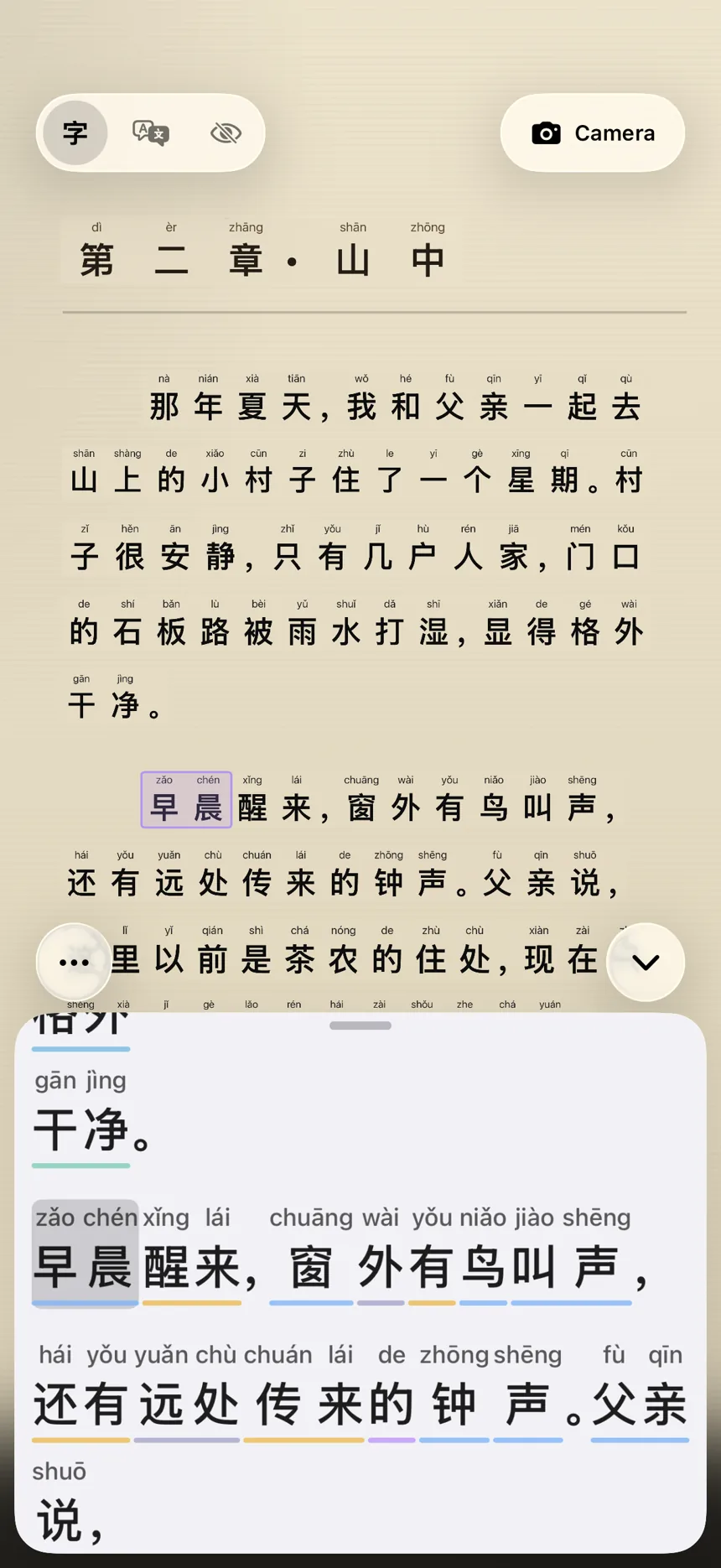
See what your camera sees.

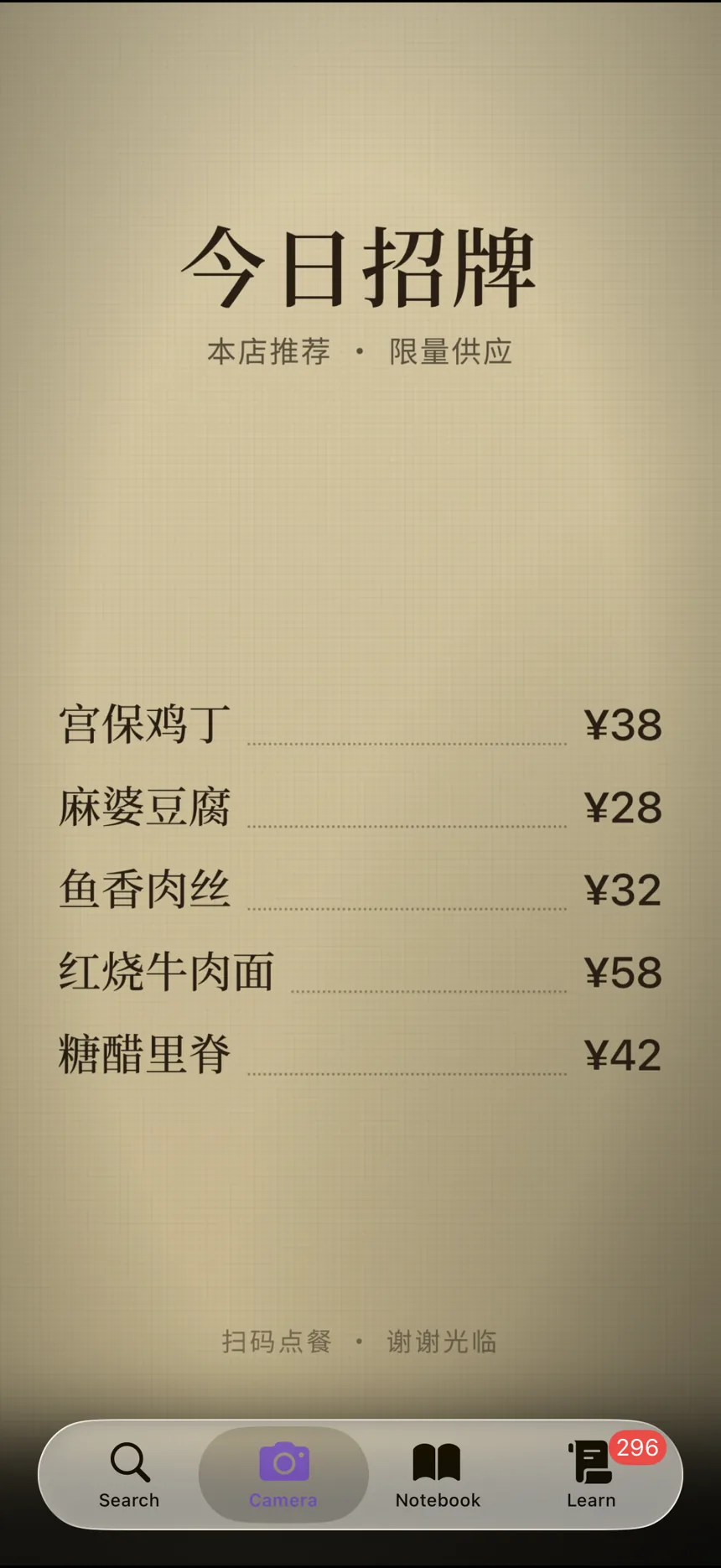
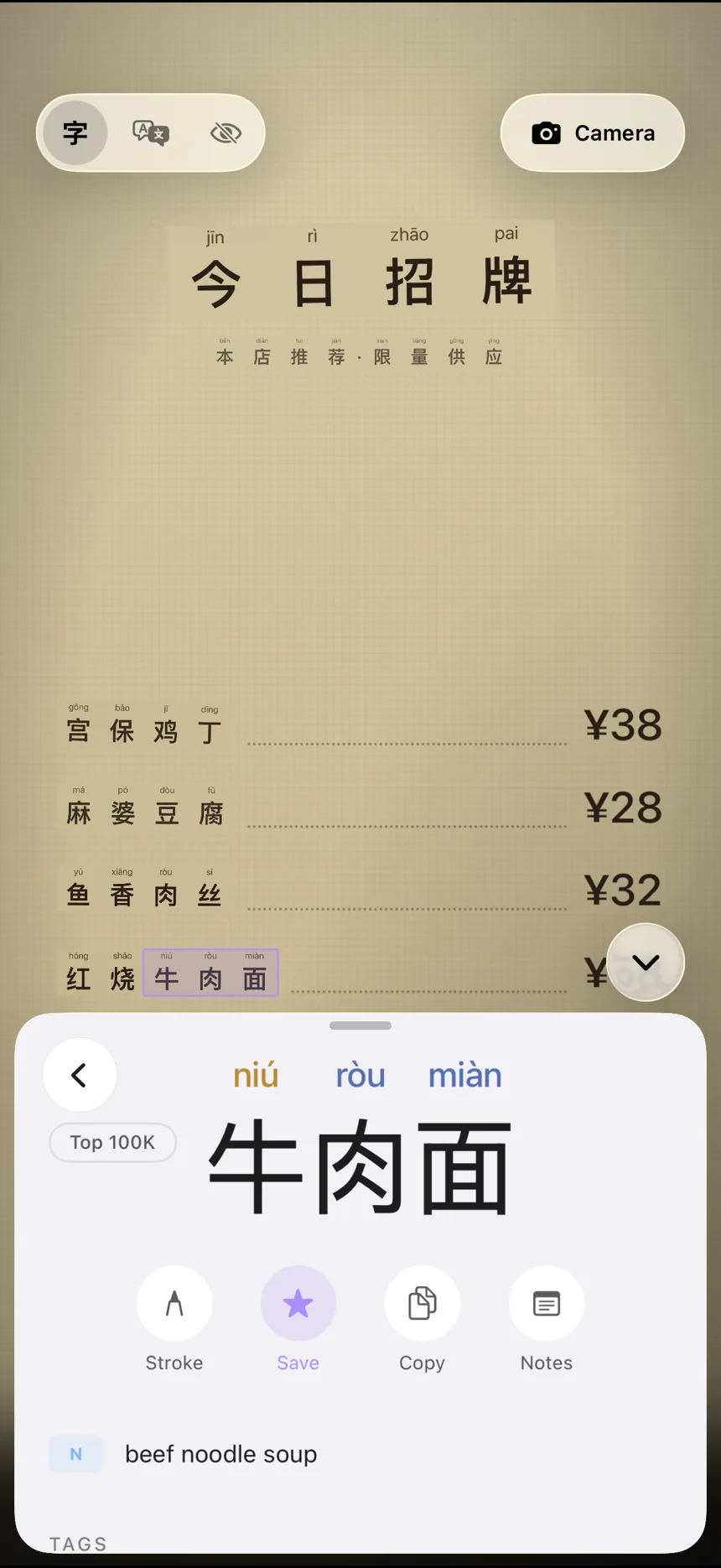
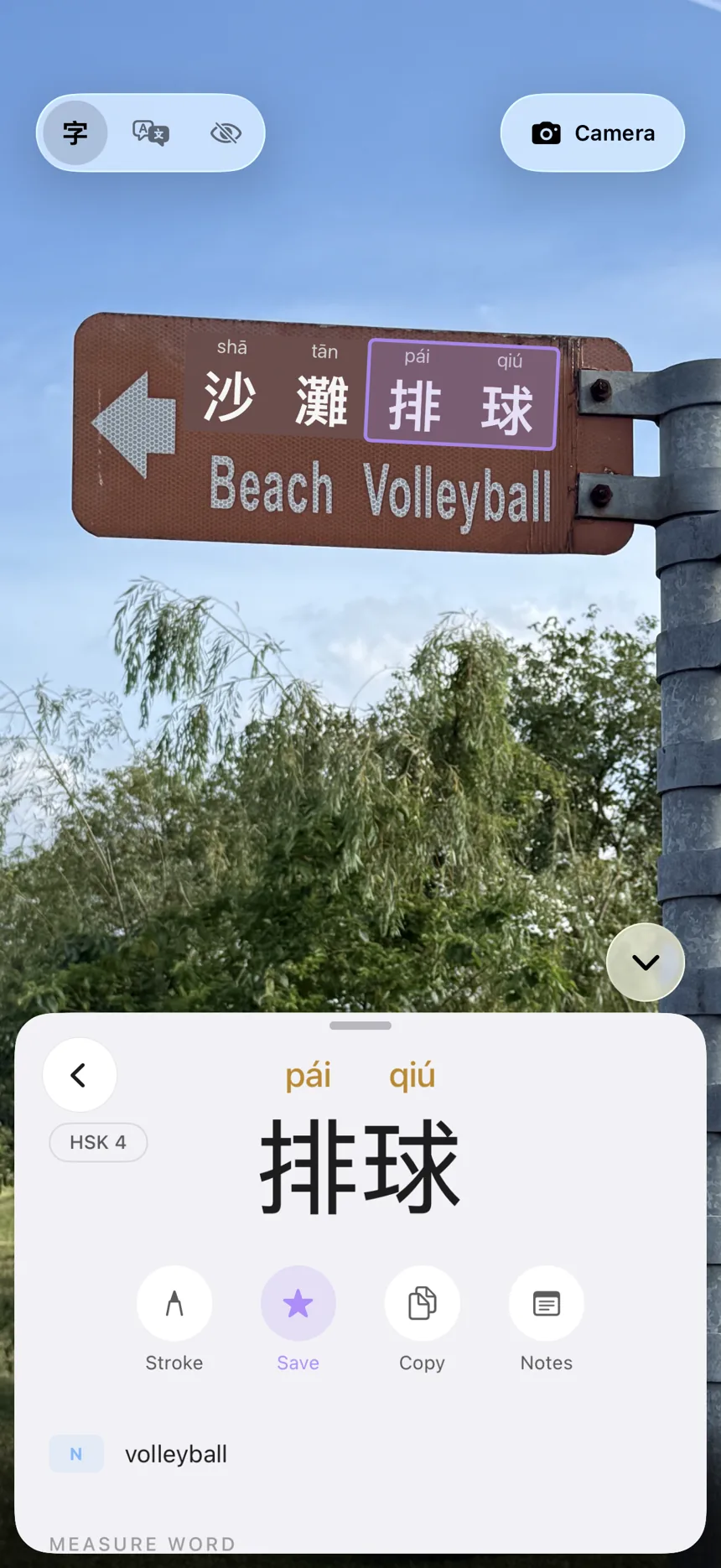
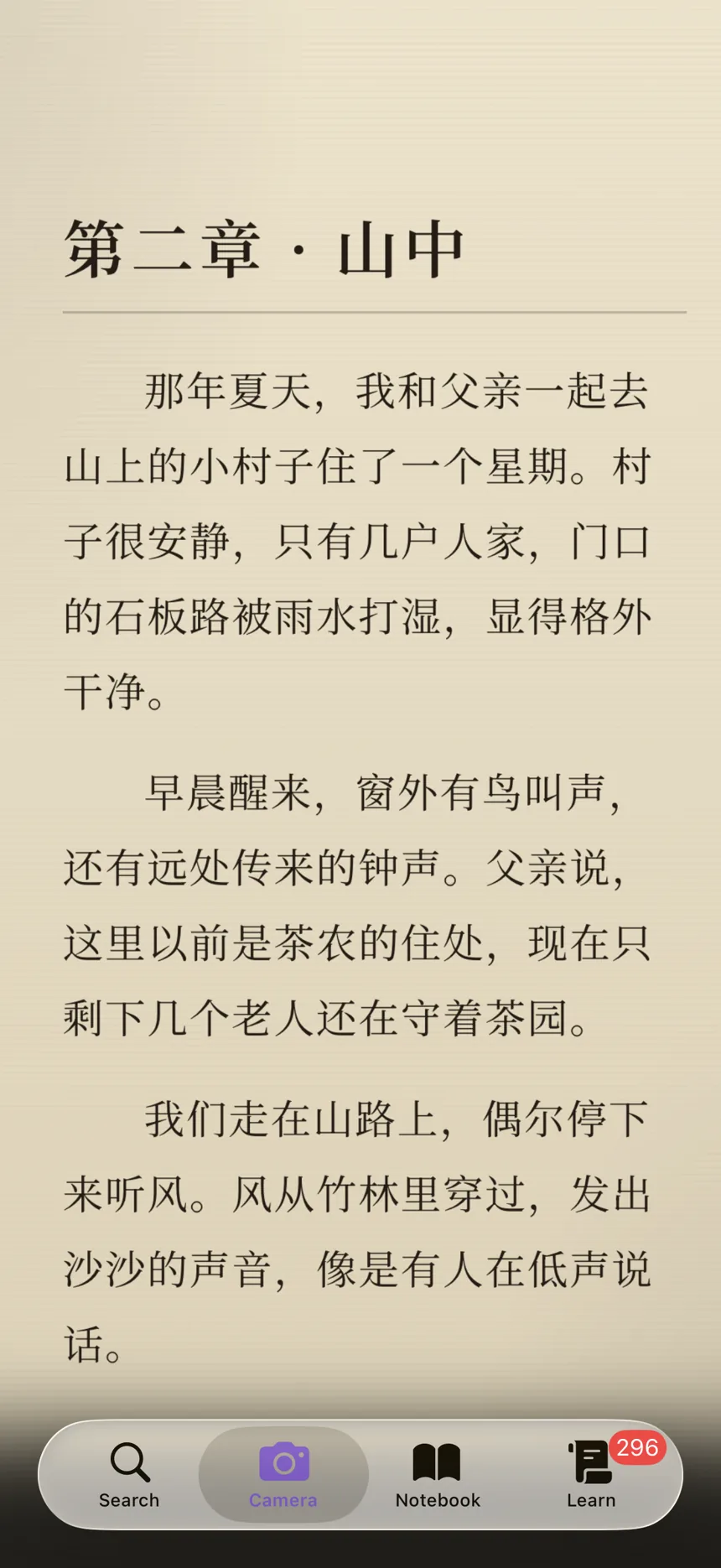
The most advanced Chinese OCR in a reader app, and it runs entirely on your device. Drag the handle to compare what's there with what Zimu reads: words segmented, characters recognized in both simplified and traditional, pinyin generated, in real time.

9:41
Photo
Zimu sees
Photo
Zimu sees
Photo
Zimu sees

Recognition runs on-device. Segmentation and pinyin appear in real time.

03 · Dictionary

A real dictionary, one tap away.

Look up characters, words, and phrases right where you need them. No app-switching, no copy-paste, no losing your place.

  • · 120k entries · CEDICT-grade, hand-curated and enhanced additions
  • · HSK level and part of speech on every entry
  • · Contextual pinyin: polyphones resolved by sentence context (还 hái vs huán)
  • · Simplified ↔ traditional variant mapping
  • · Cross-links to grammar notes and related words
  • · 180k+ example sentences · HSK-graded, in all nine languages
04 · Study

Cards that show up right before you'd forget.

Cards that show up right before you'd forget. Save words as you read, tag them however suits you. Zimu builds the deck for you, and brings each word back just before it slips. A focused drilling mode for when you want to push, filters for when you want to narrow in.

  • · Modern spaced-repetition that adapts to each word
  • · Decks built automatically from your notebook
  • · Source sentence attached to every card
05 · Themes

Pick a theme you like.

Ten themes, light and dark, tuned for long reading sessions on a couch, on a plane, or at 1 a.m. before bed. Pick one to try below; the whole site (and the screenshot) follows.

9:41
Top 2KHSK 4
yuè
閱讀
Stroke Save Copy Notes
yuè
Vto read; reading
我喜欢在晚上阅读 HSK 3
Wǒ xǐhuān zài wǎnshang yuèdú.
I like to read in the evening.
Search Camera Notebook Learn
Now showing Matcha

Pair any two with system light and dark, and Zimu remembers.

06 · Sync

Your notebook, flashcards, and progress, everywhere.

Save a word on your iPhone. Pick up the review on your iPad. Notebook, flashcards, and review schedules all stay in sync automatically.

  • · Notebook, flashcards, and spaced-repetition state
  • · Real-time across your iPhone and iPad devices
  • · Works the moment you sign in to your device
  • · Private to your iCloud account
07 · Languages

Learn in your language.

Not just the interface: definitions, explanations, example sentences, and grammar notes, all localized. Nine languages today, more on the way.

9:41
‹ Back Dictionary Save
xué
学习
verb to study; to learn
Example
我喜欢学习中文。
Wǒ xǐhuān xuéxí zhōngwén.
I like to study Chinese.
日本語
한국어
Русский
Español

Auto-cycles. Tap a language to pause and explore.

08 · Origin

Made by someone learning Chinese, too.

Zimu started from a recurring problem: I could read most of a passage, but a few unknown words would stop me cold. The fix usually meant leaving the page, open a dictionary, guess at pinyin, scroll, copy, paste, lose my place.

I wanted one place to scan, look up, save, and review, without breaking the rhythm of reading. Zimu is that place. Built for the way I actually study, with the hope it works for you too.

09 · Why Zimu

The old way, and the Zimu way.

Chinese learners have spent a long time copy-pasting between dictionary apps, translators, and notes. Zimu rolls those steps into one place.

The old way

Traditional dictionary apps

  • Looking up a word Copy, switch app, paste, lose your place.
  • Camera OCR A separate add-on, or not available.
  • Word segmentation Greedy match, character by character.
  • Pinyin polyphones First reading only.
  • Notes & flashcards Bolted-on export.
  • Aesthetic Designed a long time ago.
The Zimu way

Zimu

  • Looking up a word One tap on a segmented word.
  • Camera OCR Built in, on-device.
  • Word segmentation Neural, context-aware.
  • Pinyin polyphones Resolved by sentence context.
  • Notes & flashcards Native, linked to the source.
  • Aesthetic Designed for how you read now.
10 · Questions

Things people ask.

When does Zimu launch?+

Zimu is launching on iOS first, with Android following soon after. Join the waitlist and we'll email you the day each one is ready.

Does Zimu work offline?+

Yes, all of it. OCR, dictionary, segmentation, pinyin, stroke order, translation, notebook, and flashcards all work without a network. iCloud sync is the only thing that needs the internet.

How do flashcards work?+

Save the words you want to remember as you read, tag them however suits you, and Zimu takes it from there. Reviews use a modern spaced-repetition schedule so each word comes back right before you'd forget it. There's a focused drilling mode for when you want to push, and filters so you can review just one tag, or a saved set of them.

Is the translation good?+

Sentence-level translation runs entirely on your device using Apple's on-device language models. It's a hint, not a crutch, designed to keep you reading rather than replace the reading.

How is Zimu different from Pleco?+

If you've used Pleco or another dictionary app, Zimu will feel familiar (tap-to-look-up, a word list, flashcards), but it's built around reading. Camera OCR is built in rather than an add-on, word segmentation is neural instead of dictionary-greedy, pinyin is resolved in context, and the whole dictionary (definitions, examples, and grammar) comes in your own language. And you can bring your existing list over with a Pleco import.

Can I import an existing word list?+

Yes, import a Pleco export (.txt or .xml), and back up or restore your whole notebook as a file. Both directions are covered.

Simplified or traditional?+

Both. The OCR is trained on both; the dictionary maps traditional variants back to their simplified entries automatically.

Start discovering.

Coming soon to iOS & Android. The lookups, notes, and review are all built in.

No spam, just one email at launch. See our privacy policy.

Coming soon to the App Store & Google Play